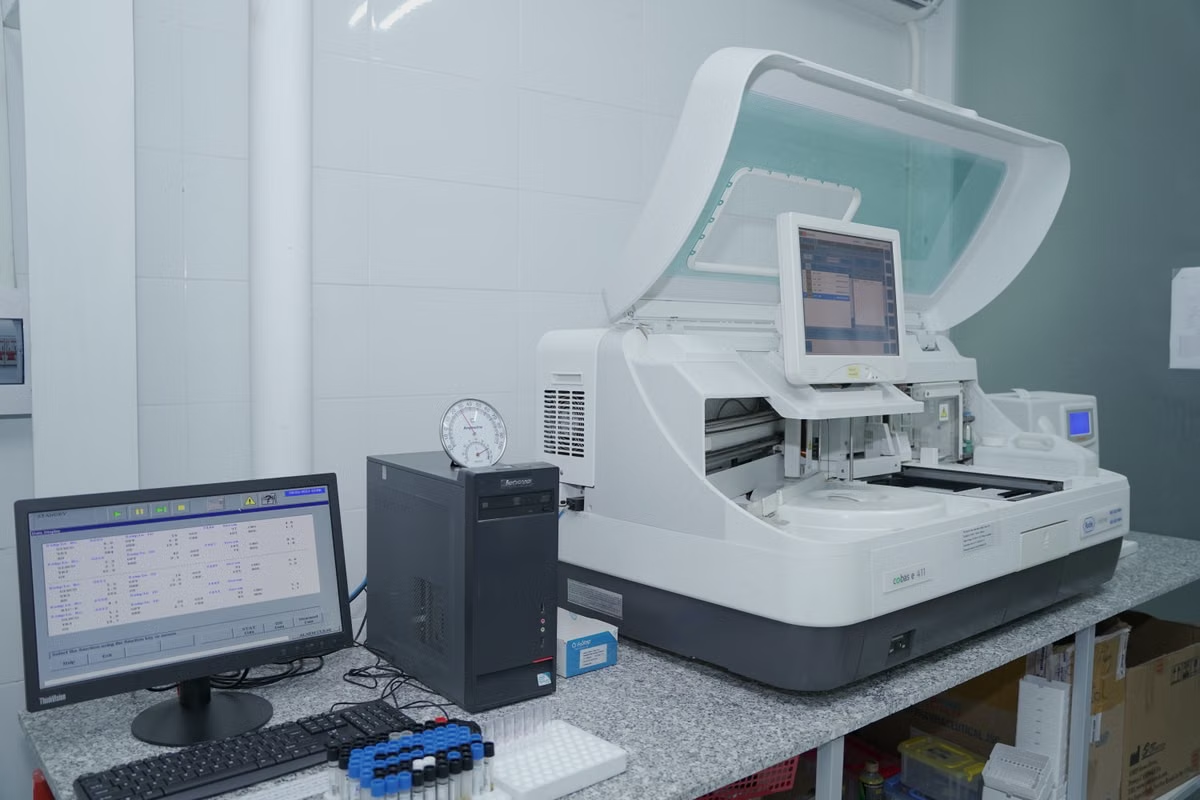
Symptoms: a research project depends on a lab Mac, but the team cannot tell whether its essential software will work after the upgrade.
Fastest answer: do not upgrade primary research Macs just because macOS Golden Gate 27 is available. Validate representative software and workflows first, then migrate in stages; wait if a critical dependency or active project is not ready.
Suitable for a limited pilot: the team has a non-critical device, a test project, and a recovery plan.
Not suitable for immediate primary-device upgrades: a key application, plugin, instrument connection, or institutional tool remains unverified.
This guide is for lab administrators deciding whether to defer or stage an upgrade; researchers relying on macOS research software; and group leads assigning validation, recovery, and migration responsibilities.
Last updated October 21, 2026. We checked Apple’s macOS 27 compatibility and upgrade guidance and its release notes, along with the university IT resources linked below. Compatibility conclusions remain specific to the software, device, and institution involved. (Apple’s macOS 27 upgrade and compatibility guidance; Apple’s macOS release notes)
Before the upgrade: map project dependencies
A system upgrade is a change to the research environment, not just a change to the desktop. The risk is that a dependency the team rarely thinks about turns out to be essential: a plugin used in one analysis, a command-line tool installed by a former student, or a device connection needed for data collection.
We recommend making the inventory project-based. A list of application names alone does not show which work will stop if an item fails. For each active project, record:
- The research application and the version currently in use.
- Plugins, extensions, scripts, command-line tools, and package-manager dependencies.
- Input and output file formats, including any conversion steps.
- Connected instruments or peripherals and the software used to communicate with them.
- Institution-managed security, backup, licensing, or device-management tools.
- A named person who can confirm how each dependency is used.
- The supplier’s current support statement or the institution’s relevant test result, with the date checked.
The distinction between “installed” and “supported” matters. An application may still launch while a plugin, export path, or connected device fails later in the workflow. A project lead may also rely on a software version that differs from the one tested by campus IT. Record the exact versions and the scope of each compatibility statement instead of treating a general claim as a blanket approval.
Mark work that cannot easily be interrupted. That includes active data collection, analyses with a fixed delivery window, and work that depends on a single configured device. The aim is not to block every update. It is to avoid changing the only working environment at the moment a project depends on it.
Campus guidance is useful, but it applies to the issuing institution and the scope of its testing. For example, the software and upgrade resources published by Santa Clara University, the University of Michigan, and the University of Wisconsin–Madison should be read as institution-specific references, not as a universal compatibility verdict for every lab.
During preparation: set a test that can answer a research question
A useful compatibility test follows a real research task from start to finish. “The application opens” is a small observation, not evidence that the project can proceed. A lab should choose a representative project and define what success looks like before testing.
Write the test as observable actions. For example: install or launch the required application; open a copy of the project data; invoke the relevant plugin or script; complete a key analysis step; save the output; and have another team member verify that the result can be reopened and interpreted. Use a copy of the data and protect any sensitive material according to institutional rules.
Keep the observations separate:
- System installation: Was the target operating system installed successfully on the test device?
- Application launch: Did each required application start, and were any warnings recorded?
- Workflow completion: Could the representative project complete the steps that matter to the research?
- Result review: Could the output be saved, reopened, and independently checked?
- Institutional approval: Does the lab’s IT or research-governance process permit the intended use?
These are different outcomes. A pass at one stage does not prove a pass at the next. A clean installation does not demonstrate that a workflow is compatible, and a successful workflow test does not itself grant institutional approval.
University pages can help identify local requirements and testing scope. The University of Pennsylvania’s macOS 27 announcement and UCSF’s macOS support-status resource are examples of institutional sources to consult. Neither should be treated as a substitute for checking the actual applications, configurations, and policies used by another institution.
The pilot: test a recoverable device, not the only working environment
Choose a device whose temporary unavailability will not stop data collection or delay a critical analysis. Agree on the test with its regular user. If the lab has no non-critical device, do not turn the sole primary Mac into an experiment without first agreeing how essential work will continue.
Before the pilot, follow the institution’s backup and device-management requirements. Confirm who can restore the previous working arrangement, where essential project files are stored, and how the team will continue if the test reveals a blocker. Apple provides upgrade and backup guidance, but local policy determines which backup method and recovery process are appropriate for a research device. (Apple’s upgrade and compatibility guidance)
During testing, keep a concise record:
- Device identifier and the operating system version tested.
- Application, plugin, and command-line dependency versions.
- The test project and the steps used to reproduce the result.
- What passed, what failed, and any warnings or workarounds.
- The researcher who reviewed the output and the administrator who approved the next action.
Do not record sensitive data in a general-purpose issue log. Store notes in the location approved by the institution, and describe failures without copying restricted project content. If a test depends on a specific dataset, instrument, or permission, note that boundary. A result on one device or project should not be generalized to every lab machine.
The decision checklist: complete these checks before migration
Use this checklist with the project inventory and test record. An unchecked item is a reason to investigate, not an automatic reason to abandon the upgrade.
- [ ] Each active project has a named contact who can confirm its essential software and workflow.
- [ ] Required applications, plugins, command-line dependencies, connected devices, and institutional tools are inventoried.
- [ ] Current support information has been checked for the versions actually used by the lab.
- [ ] A representative, non-sensitive test project is available where institutional rules permit.
- [ ] The test includes file access, plugin or script use, a meaningful analysis step, and output review.
- [ ] System installation, application launch, workflow completion, and institutional approval are recorded separately.
- [ ] The pilot device can be unavailable without stopping essential research.
- [ ] Backup and recovery arrangements follow the institution’s requirements.
- [ ] The team has set a review trigger for any unresolved dependency or project-date conflict.
If several checks remain open, keep primary devices on their current working environment while resolving the gaps. If the essential workflow passes but an optional tool does not, document which projects are affected before deciding whether a limited migration is still appropriate.
The migration window: stage devices or defer
A staged migration gives the team a chance to find problems before they affect every researcher. Start with a device whose role is understood and whose user can participate in testing. After the relevant workflow passes, schedule other devices around project needs and available support. Keep a record of which machines have moved and which remain on the previous environment so collaborators do not assume that every lab Mac behaves identically.
The comparison below is a planning aid, not a claim that any particular application is compatible. Each row needs evidence from the lab’s own dependencies and the relevant institution.
| Decision point | Proceed with a limited migration when… | Defer primary Macs when… |
|---|---|---|
| Essential software | Required applications and plugins have been checked for the versions in use. | A critical dependency has no confirmed status or a failed test. |
| Research workflow | A representative project completes its key steps and its output can be reviewed. | Only installation or application launch has been tested. |
| Project schedule | The selected device can be unavailable without interrupting essential work. | Data collection, analysis, or delivery depends on the device remaining unchanged. |
| Recovery | Backup and a team-approved way to resume work are clear. | Recovery responsibilities or access to working project files are uncertain. |
| Institutional rules | The relevant administrator has confirmed the applicable process. | Local approval, data handling, or device-management requirements remain unresolved. |
The next table translates those conditions into an action. It helps a group choose between testing, staged migration, and waiting without confusing urgency with readiness.
| Current evidence | Recommended action | Revisit when… |
|---|---|---|
| Key dependencies are inventoried, but their support status is unclear. | Hold the current primary setup and contact the responsible software or institutional support team. | A relevant support statement or a reproducible test result becomes available. |
| Essential workflows pass on a suitable test device, and the team has a recovery plan. | Schedule a limited migration, then review each project’s requirements before moving further devices. | The team has checked the next device’s role and confirmed that no new dependency changes the risk. |
| A critical workflow fails, or a project cannot tolerate interruption. | Defer the affected primary device and keep the current working environment available. | The blocking dependency is resolved or the project reaches an agreed maintenance window. |
| The lab has no spare Mac for a preliminary test. | Separate administrative research from device testing; consider a suitable remote environment only for permitted, non-sensitive preliminary checks. | Local or institution-approved testing can confirm the workflow and required approvals. |
FAQ: readiness, dependencies, and testing without spare hardware
Should research groups upgrade their Macs to macOS Golden Gate 27 now?
Upgrade a primary research Mac only after the group has verified its essential applications, plugins, device connections, and real analysis workflows. A successful system installation or an application opening is not enough to establish readiness. If a critical dependency remains unverified, or a project is in a period when interruption would affect research or delivery, keep the current environment and set a review trigger.
What should a lab check before installing macOS Golden Gate 27?
Build a project-based inventory of research applications, plugins, command-line packages, connected instruments, file formats, and institution-managed tools. Record each dependency’s owner, required version, support status, and role in the workflow. Then test installation, launch, file access, plugin calls, and the analysis steps that produce results. Confirm backup and recovery arrangements before changing a primary device.
How can a lab test Golden Gate 27 without a spare Mac?
First divide validation into tasks that do not require changing the only primary Mac: collect software requirements, ask application owners for current support statements, and prepare a reproducible test project. For a non-sensitive project, a remotely accessible Mac may provide an additional environment for preliminary checks. It does not replace institutional approval, local device testing, or verification of data-handling requirements.
Is it safer to upgrade every lab Mac at once or pilot first?
A limited pilot is safer when the research group can select a non-critical device, obtain consent from its users, and document a way to resume work if a blocker appears. Move further devices only after representative workflows pass and the responsible team approves the migration window. If the lab has no recoverable test environment or an urgent, uninterrupted project, defer changes to primary Macs.
If the lab lacks a spare Mac
No spare device does not mean the group has to make an unsupported guess. It can first reduce uncertainty without modifying the primary research environment: compile the dependency list, ask application owners for current support information, prepare a non-sensitive test project, and define what evidence would count as a successful workflow. This gives the lab a concrete test plan and exposes gaps before any primary device is changed.
A remotely accessible Mac can be considered for preliminary compatibility checks when the project is non-sensitive and the institution permits the arrangement. It can help test whether an application launches or whether a prepared workflow can be exercised in a macOS environment. It does not establish that a locally attached instrument will work, that a campus-managed configuration is approved, or that restricted research data may be transferred to that environment.
Before using a remote machine, check the institution’s requirements for software licensing, data handling, account access, and project approval. We also recommend reading the relevant remote access information and data privacy information before deciding whether a particular test is appropriate. Treat remote testing as an extra source of evidence, not as formal acceptance of the lab’s production setup.
The practical choice is between continuing with the lab’s current constraints, purchasing and maintaining a dedicated Mac, or adding temporary access for a bounded test. A purchase may be the right fit when a stable, long-running workload needs local peripherals or uninterrupted access. However, it also requires upfront procurement and ongoing device ownership. Relying only on existing Linux or Windows machines avoids a new Mac purchase, but it cannot confirm behavior specific to macOS. For a short compatibility check, renting a real remote Mac through deploymini may let the team test permitted work without committing to a permanent device; it still does not replace local validation or institutional approval. Review the available Mac rental plans against the project’s test scope before choosing that route.
Bottom line: keep primary research Macs unchanged until representative workflows and essential dependencies have been checked. Once the evidence is specific to the lab’s software and projects, move only the devices that are ready—and leave unresolved or time-critical work on its stable environment.
Frequently asked questions
Should a research group upgrade its Macs to macOS Golden Gate 27 now?
Upgrade a primary research Mac only after the group has verified its essential applications, plugins, device connections, and real analysis workflows. A successful system installation or an application opening is not enough to establish readiness. If a critical dependency remains unverified, or a project is in a period when interruption would affect research or delivery, keep the current environment and set a review trigger.
What should a lab check before installing macOS Golden Gate 27?
Build a project-based inventory of research applications, plugins, command-line packages, connected instruments, file formats, and institution-managed tools. Record each dependency's owner, required version, support status, and role in the workflow. Then test installation, launch, file access, plugin calls, and the analysis steps that produce results. Confirm backup and recovery arrangements before changing a primary device.
How can a lab test Golden Gate 27 without a spare Mac?
First divide validation into tasks that do not require changing the only primary Mac: collect software requirements, ask application owners for current support statements, and prepare a reproducible test project. For a non-sensitive project, a remotely accessible Mac may provide an additional environment for preliminary checks. It does not replace institutional approval, local device testing, or verification of data-handling requirements.
Is it safer to upgrade every lab Mac at once or pilot first?
A limited pilot is safer when the research group can select a non-critical device, obtain consent from its users, and document a way to resume work if a blocker appears. Move further devices only after representative workflows pass and the responsible team approves the migration window. If the lab has no recoverable test environment or an urgent, uninterrupted project, defer changes to primary Macs.
Test Golden Gate 27 on a Separate Mac First
Rent a dedicated physical Mac mini from deploymini to evaluate the upgrade without changing your group's primary Macs.